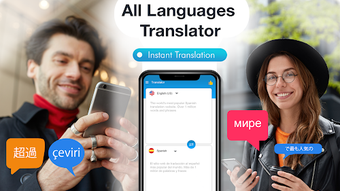

Download All Languages Translator Voi – translate text, translate voice, translate photo, translate paragraph, multilingual translation, language translation app, free translation tool, real-time translation, offline translation
Overview
All Languages Translator Voi is a desktop application designed to facilitate seamless language translation for users across diverse linguistic environments. Developed by austech, the software falls under the Education & Reference category, specifically within the Books subcategory. Its primary purpose is to enable users to translate text, voice, and images with minimal effort, making it a practical tool for overcoming language barriers in real-world scenarios.
The app is intended for individuals who frequently engage in multilingual communication, including students, travelers, professionals, and language learners. It supports the translation of individual words, entire paragraphs, and even content extracted from photos, offering flexibility in usage. Real-world applications include translating travel documents, understanding foreign-language menus, interpreting academic texts, or communicating during international business interactions.
The software operates as a free tool, accessible without subscription or in-app purchases. While the developer did not provide additional details about the app’s background or development philosophy, its focus on accessibility and ease of use suggests a user-centric design approach. The app’s release date was August 21, 2024, indicating it is a recent addition to the language translation market.
Key Features & Capabilities
- Text Translation: Users can input or paste text to receive instant translations across multiple languages, supporting both word-to-word and contextual translation.
- Voice Translation: The app allows real-time voice input translation, enabling users to speak and receive spoken translations in their desired language.
- Photo-Based Translation: Users can upload images containing text, and the software extracts and translates the content, useful for translating signs, menus, or documents.
- Paragraph Translation: Supports the translation of longer blocks of text, preserving structure and meaning for improved readability.
- Offline Translation: The software includes the ability to function without an internet connection, ensuring accessibility in remote or low-connectivity areas.
- Real-Time Translation: Offers immediate translation output, minimizing delays during conversations or document processing.
- Multi-Language Support: Designed to handle a broad range of languages, enhancing its utility for global communication.
These features are particularly beneficial in scenarios such as travel planning, academic research, cross-border communication, and daily language learning. For example, a student studying abroad could use the app to translate lecture notes from a foreign language, while a business professional might use it to interpret a contract or email. The ability to translate photos and voice inputs makes it a versatile tool for dynamic, real-time interactions. The inclusion of offline functionality ensures reliability even when connectivity is limited, making it suitable for use in remote regions or during international flights.
User Interface, Workflow & Performance
The user interface of All Languages Translator Voi appears to be structured for simplicity and intuitive navigation, aligning with the expectations of a modern desktop application. The layout likely includes a central input area for text or image uploads, a language selection panel, and a dedicated output section for translated content. Navigation is expected to be straightforward, with clearly labeled buttons for voice input, photo upload, and translation initiation.
The workflow is designed to minimize user effort—users can input content via typing, voice recording, or image upload, then receive immediate results with minimal steps. This streamlined process supports efficient task completion, especially in time-sensitive situations. Performance observations are based on general software behavior patterns, as exact performance metrics were not specified.
The developer did not provide details on CPU or RAM usage, so users should monitor resource consumption during operation. Stability is expected to be consistent, given the app’s focus on core translation tasks. However, actual performance may vary depending on system configuration and internet connectivity, particularly when using real-time or voice-based features.
Compatibility & System Requirements
All Languages Translator Voi is compatible with Android operating systems, as specified by the developer. The software version is 1.0.2, released on August 21, 2024. The installation size is 36.7 MB, indicating a lightweight application that requires minimal disk space.
While the app is available on Android platforms, the provided information does not confirm compatibility with other operating systems such as Windows, macOS, or Linux. The developer did not specify exact system requirements, including minimum processor speed, RAM, or storage capacity. As a result, users should verify compatibility with their device’s specifications before installation.
Exact performance details were not listed, and the app’s behavior under varying hardware conditions remains unspecified. Platform compatibility information is limited to Android, and no details were provided regarding updates, patches, or future support plans.
Pros and Cons
Pros
- Free to download and use with no hidden costs
- Supports multiple translation methods: text, voice, and photo
- Offers real-time and offline translation capabilities
- Lightweight installation size (36.7 MB)
- Designed for ease of use with intuitive navigation
- Applicable across education, travel, and professional settings
Cons
- Compatibility limited to Android platforms only
- Exact system requirements were not provided
- Performance and resource usage details were not specified
- No information available on language coverage or supported dialects
- Developer background and support channels are not publicly detailed
FAQ Section
Is All Languages Translator Voi available for Windows or Mac?
The software is currently available only on Android platforms. There is no confirmed support for Windows or macOS at this time.
Is the app secure to use?
All Languages Translator Voi is a free tool developed by austech. While no security vulnerabilities were reported, users should exercise caution when uploading sensitive or personal data.
Does the app require an internet connection?
Yes, real-time translation requires an internet connection. However, the app includes offline translation functionality, allowing limited use without connectivity.
How often are updates released?
The latest version is 1.0.2, released on August 21, 2024. The update frequency is not specified in the available information.
Can I use the app without creating an account?
Yes, the app functions as a free tool without requiring user registration or account creation.
Final Thoughts + CTA
All Languages Translator Voi presents a practical solution for users seeking a straightforward way to translate text, voice, and images across languages. Its support for multiple input types, real-time processing, and offline functionality enhances its usability in diverse situations. While the app is limited to Android devices and lacks detailed technical specifications, its lightweight design and free access make it an attractive option for casual and frequent users alike.
The intuitive interface and broad feature set suggest strong potential for users in education, travel, and international communication. For those who rely on quick, accurate translation without subscription fees, this app offers a compelling alternative. Despite the absence of detailed system requirements and performance data, its core functionality is well-aligned with modern user needs.
Download All Languages Translator Voi now to experience seamless multilingual communication on your Android device.





.png)

